What This Helps You Do
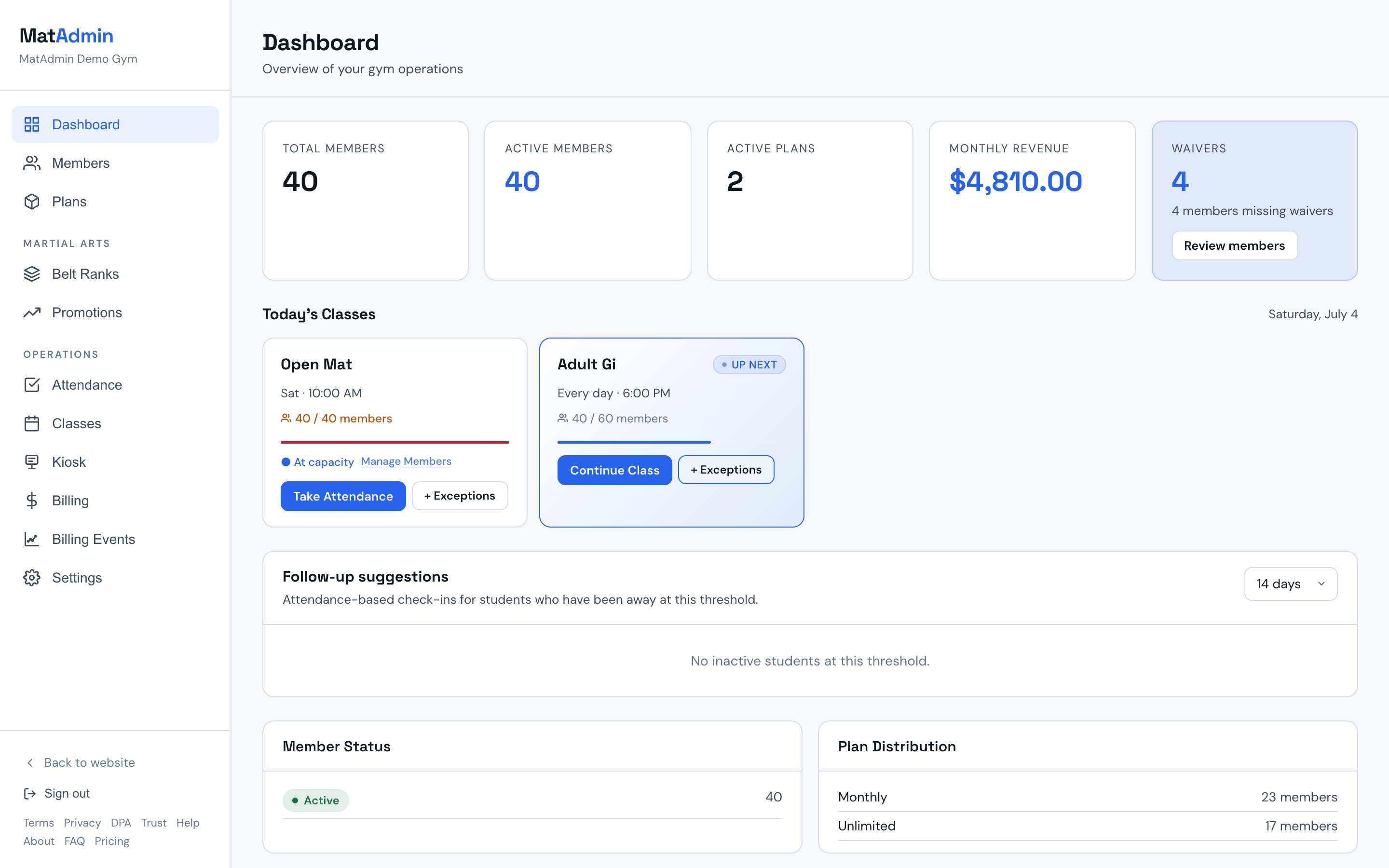
Use the dashboard as a quick check on how your academy is doing today.
The dashboard is meant for fast answers, not deep analysis during a busy class block.
Before You Start
Dashboard numbers are most useful after you have real activity in MatAdmin.
For a new account, add a few students, create a class, and run attendance first.
Step-by-Step Instructions
- Open the dashboard.
- Look for the main numbers at the top of the page.
- Check recent activity or class information.
- Compare what you see with what happened in the academy today.
- If something looks off, check the related student, class, or attendance records.
What Should Happen Next
The dashboard should help you spot what needs attention without digging through every screen.
Use it after class, at the start of the day, or when you need a quick owner-level check.
Common Mistakes
- Expecting perfect numbers before any real attendance has been recorded.
- Treating one quiet day as a trend.
- Looking at the dashboard before checking whether students and classes were entered correctly.