What This Helps You Do
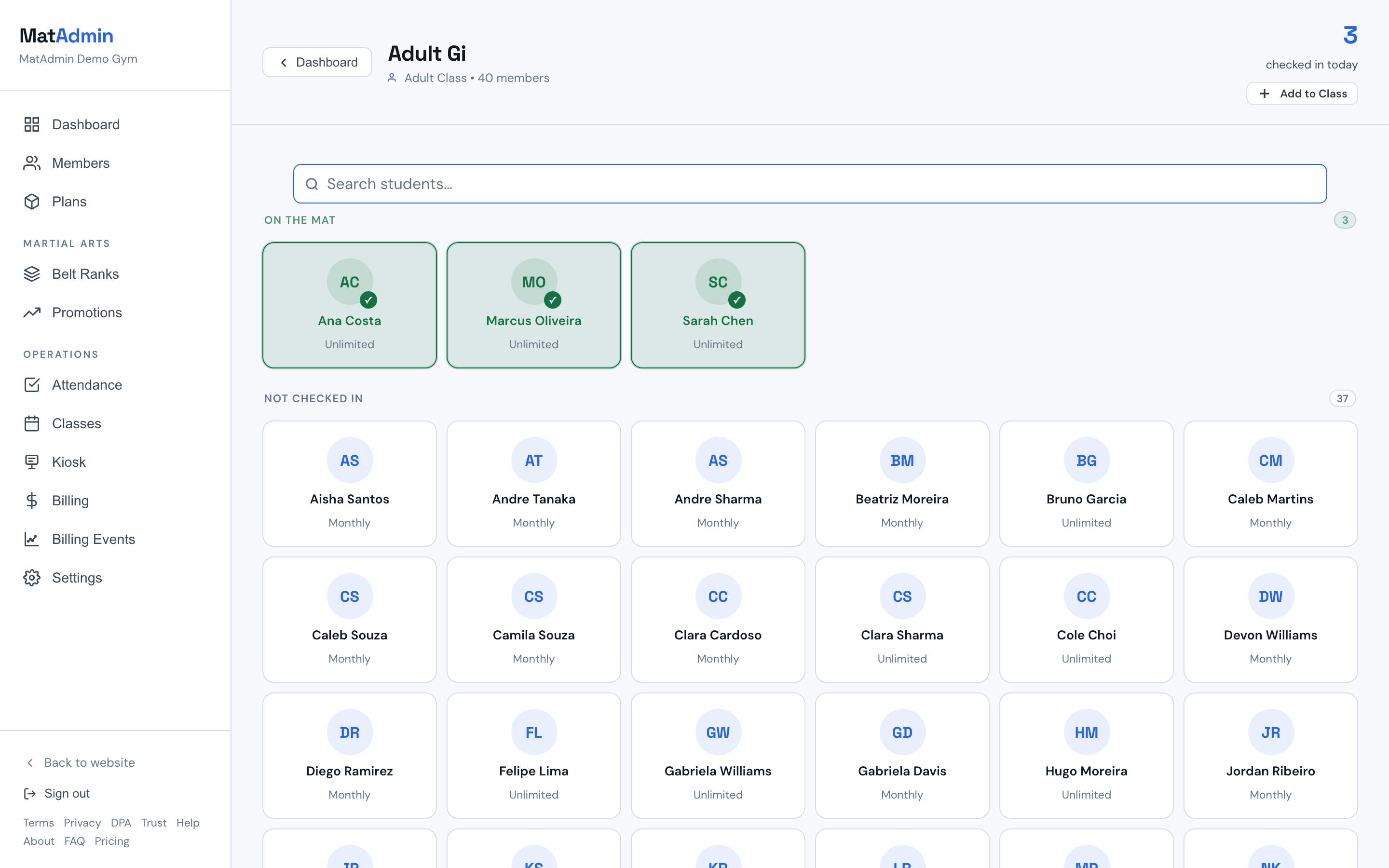
Use attendance to check students in while class is happening.
The goal is speed. You should be able to run the room, welcome students, and keep attendance current without stopping class.
Some gyms also use a Self Check-In kiosk near the front desk. That can help students check themselves in as they arrive, while instructors still review and adjust attendance during class when needed.
Self Check-In does not replace instructor attendance. It gives the class a head start, then the instructor can confirm late arrivals, fix misses, or check in students who need help.
Before You Start
Make sure:
- The class exists in MatAdmin.
- The students you expect are already added.
- You are signed in on the device you plan to use during class.
If you have several classes on the schedule, use the class day and time to choose the right one before taking attendance.
If a student is missing, add them when you have time. Do not hold up the class for perfect data.
Step-by-Step Instructions
- Open the class you are running. If several classes are listed, choose the correct day and time.
- Open attendance for that class.
- As students arrive, check them in.
- If your gym uses Self Check-In, scan the list for students who already checked themselves in.
- If a student arrives late, check them in when they step onto the mat.
- Before class ends, scan the list once for obvious misses.
- Save or confirm attendance if MatAdmin asks you to.
What Should Happen Next
The checked-in students should be recorded for that class.
After class, review the dashboard or attendance area to confirm the class activity looks right.
Common Mistakes
- Waiting until the end of class to remember everyone. Check students in as they arrive.
- Checking in the wrong student with a similar name. Pause for a second and confirm before moving on.
- Forgetting late arrivals. Add them when they arrive, even if warmups already started.
- Assuming the kiosk caught everyone. Instructors should still scan the attendance list once.
- Opening the wrong class when multiple classes happen the same day. Check the class time before saving.
- Treating attendance like paperwork. It should support the class, not interrupt it.
If You Need To Fix Something
If MatAdmin lets you edit attendance after class, make the correction as soon as you notice it.
If you cannot save attendance, cannot find the class, or the attendance record looks missing, contact support.
- The class name.
- The class date and time.
- The student name if one student is affected.
- What you expected to happen.
Need help? Contact support at support@matadmin.app and include your academy name plus a short description of the issue.