What This Helps You Do
Use this article when you need to answer three common attendance questions:
- Has this student been showing up?
- Who signed in for a specific class or day?
- Someone forgot to sign in (or was checked in wrong) — how do I fix a past roster?
MatAdmin keeps attendance simple on purpose. The goal is reliable class check-in records that an owner or instructor can review — and correct, with a reason on file — without needing a separate report.
Before You Start
Make sure:
- The student already exists in MatAdmin.
- Attendance has been taken for the class you want to review.
- You are signed in as an owner or staff user with access to students and attendance. Roster corrections (adding or removing a check-in on a past occurrence) require an owner or staff login — a read-only user can view every screen in this article but cannot make changes.
If your gym uses Self Check-In, those check-ins appear alongside manually recorded attendance.
View A Student's Attendance From The Student Profile
- Open Members.
- Select the student you want to review.
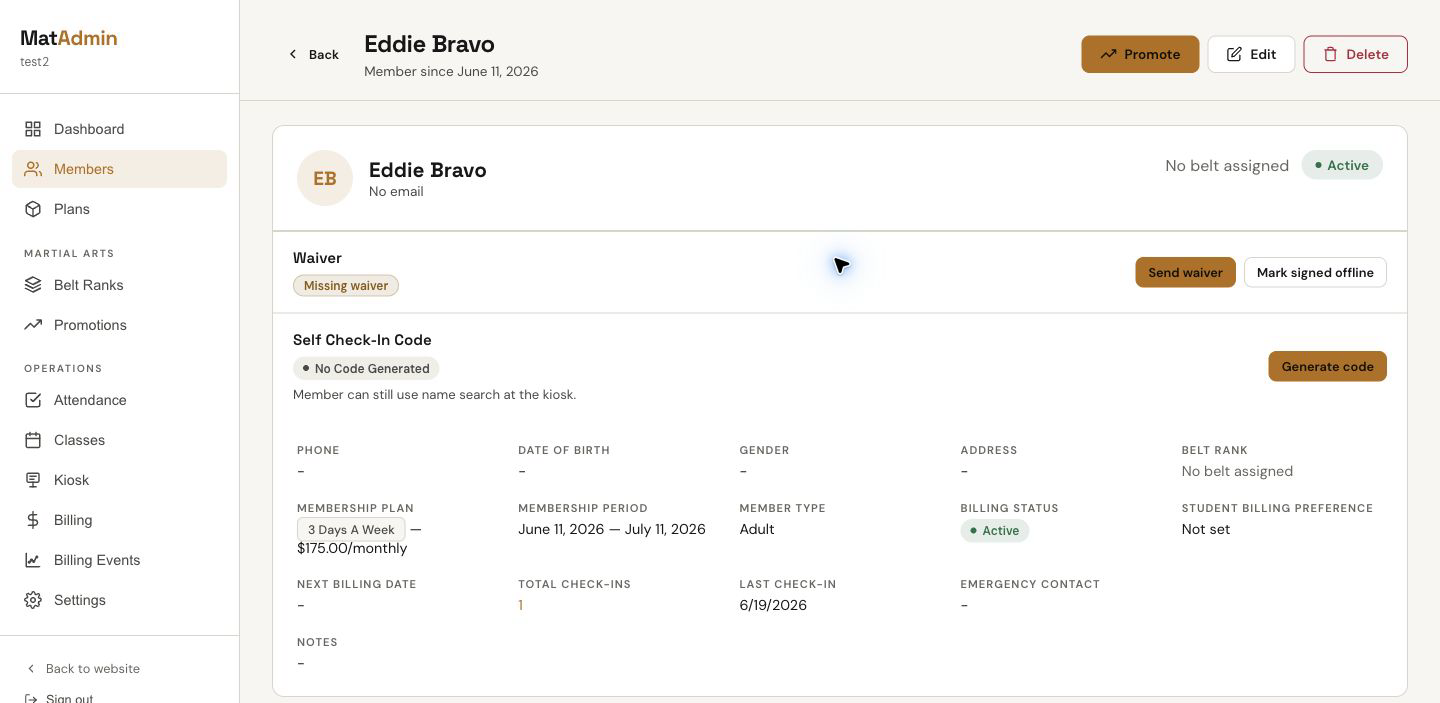
- Look for Total Check-ins and Last Check-in on the student profile.
The student profile gives you a quick attendance summary without leaving the student record.
View Attendance History For A Student Or Day
- Open Attendance.
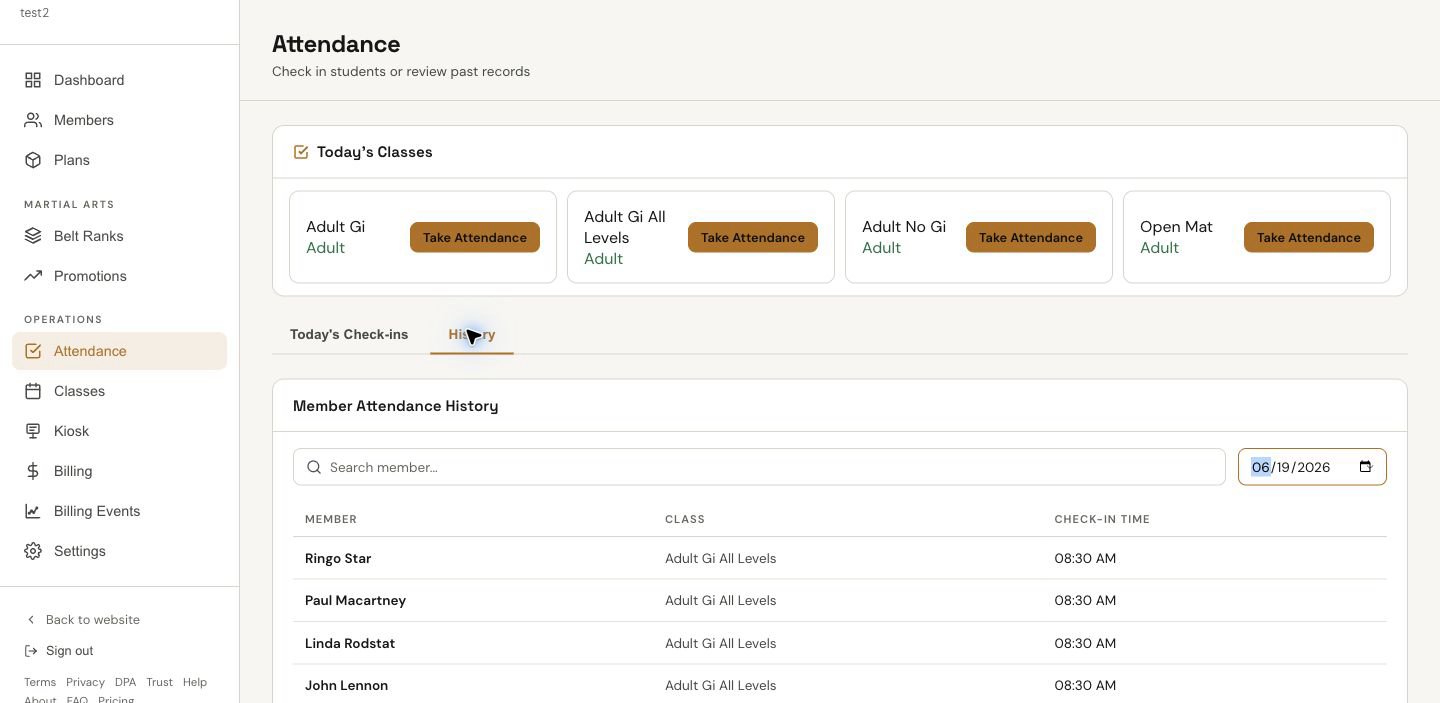
- Choose History.
- Search for a student, pick a date, or use both filters together.
- Review the results table.
The history table shows:
- Student name
- Class name
- Check-in time
Use the student search when you want that student's attendance history. Use the date picker when you want to review a class roster or all check-ins for a past day.
View Today's Class Attendance
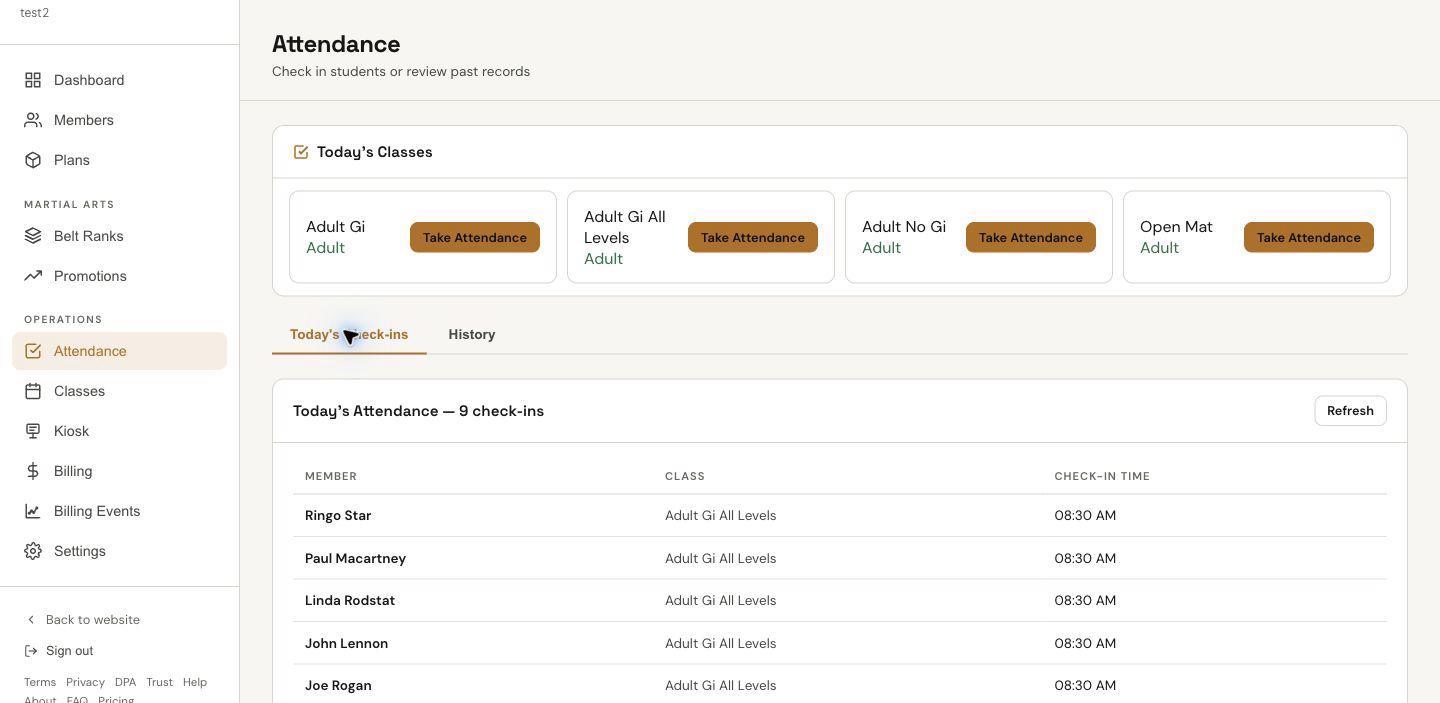
For the current day, open Attendance and use Today's Check-ins. This view shows today's roster-style attendance records with student, class, and check-in time.
Open A Specific Past Class And Correct Its Roster
- Open Attendance.
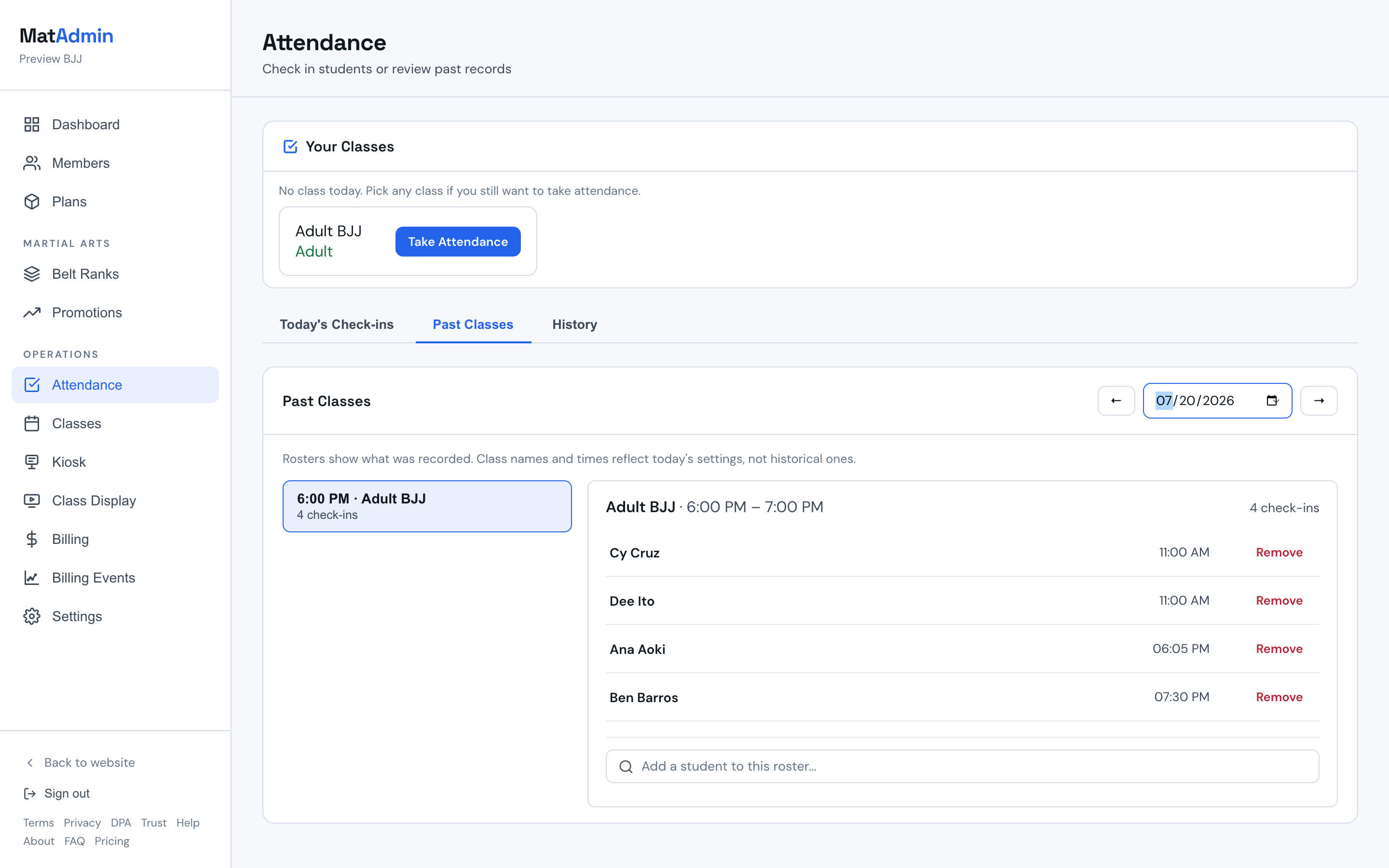
- Choose Past Classes.
- Pick a date, then pick a class from the list on the left. The roster for that occurrence appears on the right.
- Add a student who checked in but wasn't recorded, or remove a student who was recorded by mistake.
To add a missed check-in:
- Search for the student's name in the box under the roster.
- Select them from the results. They're added to that occurrence's roster immediately.
To remove a check-in:
- Click Remove next to the student's name.
- Enter a reason (required — this is what makes the removal auditable and reversible by support if needed).
- Click Remove check-in to confirm.
Removals are permanent from the roster view but always recoverable — every removal is logged with who removed it, when, why, and the exact record that was removed. If you remove a check-in by mistake, contact support with the student name, class, and date and it can be restored from that log.
If the class no longer has a schedule on the calendar (it was edited or removed after the check-in happened), MatAdmin will ask you to confirm the class time before it lets you add or remove anyone. This one-time confirmation "anchors" that specific occurrence so future corrections on the same roster don't ask again — even if the class is later renamed or deactivated.
If a check-in shows an Assign button, it means that check-in was recorded for the class in general but not tied to one specific session — usually because the schedule it belonged to was removed before anyone corrected the roster. Click Assign and pick which confirmed session it actually belongs to. This moves the one row you chose; it never bulk-moves a group of students.
Open Mat check-ins (no class assigned) are view-only in Past Classes, same as everywhere else in MatAdmin.
What Should Happen Next
You should be able to confirm:
- Whether a student has attendance activity.
- The student's most recent check-in.
- Which students signed in for a class or date.
- What class each check-in belonged to.
- When the check-in happened.
- That a missed check-in got added, or a mistaken one got removed, with a reason on record.
This is meant for operational review: checking attendance, answering parent or student questions, spotting obvious misses, fixing them when they happen, and confirming that class records were saved.
What Attendance Does Not Try To Do Yet
Attendance is intentionally focused on reliable, correctable check-in records — not analytics.
MatAdmin is focused on clear check-in records, student-level visibility, class/date review, and letting you fix a past roster when something was missed or entered wrong. More advanced attendance analytics are on the roadmap, but there is no promised timing or final scope yet.
Future analytics may become useful for trends, retention, inactive student review, and program-level reporting. For now, use the profile summary, Attendance history table, and Past Classes roster as the source of truth.
Common Mistakes
- Looking only at today's class when you need an older record. Use History or Past Classes for past attendance.
- Searching by student when you really need a class-day roster. Pick the date first, then scan the class column.
- Removing a check-in without a real reason. The reason field is required and becomes part of the permanent audit trail — vague reasons make later support requests slower to resolve.
- Using Assign when a student simply didn't attend a session. Assign is for moving an already-recorded check-in onto the correct session, not for adding a new one — use the add-a-student search for that.
- Expecting analytics that are not part of the current attendance workflow. Current attendance is record-focused.
- Assuming Self Check-In replaces instructor review. Instructors should still scan attendance during class.
When To Contact Support
Contact support if:
- A student profile does not show the attendance summary you expect.
- A date filter shows no records even though attendance was taken.
- A class name or check-in time looks wrong.
- You cannot find the student or class you need to review.
- You need a removed check-in restored and don't have the exact date and student name handy.
Include the student name, class name, class date, and what you expected to see.