What This Helps You Do
Keep a student's membership details clear enough for daily gym operations.
Use membership information to understand who is active, who needs follow-up, and what should be checked before class or student payment work.
What Gym Owners Typically Use This For
Use membership details when you need to:
- Confirm whether a student should be treated as active for normal gym operations.
- Check membership context before class, attendance review, or student payment follow-up.
- Keep plan notes clear enough for staff to understand.
- Avoid mixing training notes, membership status, and student payment questions.
- Decide whether a student record needs owner review before anyone contacts the student.
Before You Start
Have the student's current membership details ready.
Only enter information you trust. If a student payment detail is unclear, confirm it before making changes.
Step-by-Step Instructions
- Open the student's record.
- Find the membership area.
- Review the current membership details.
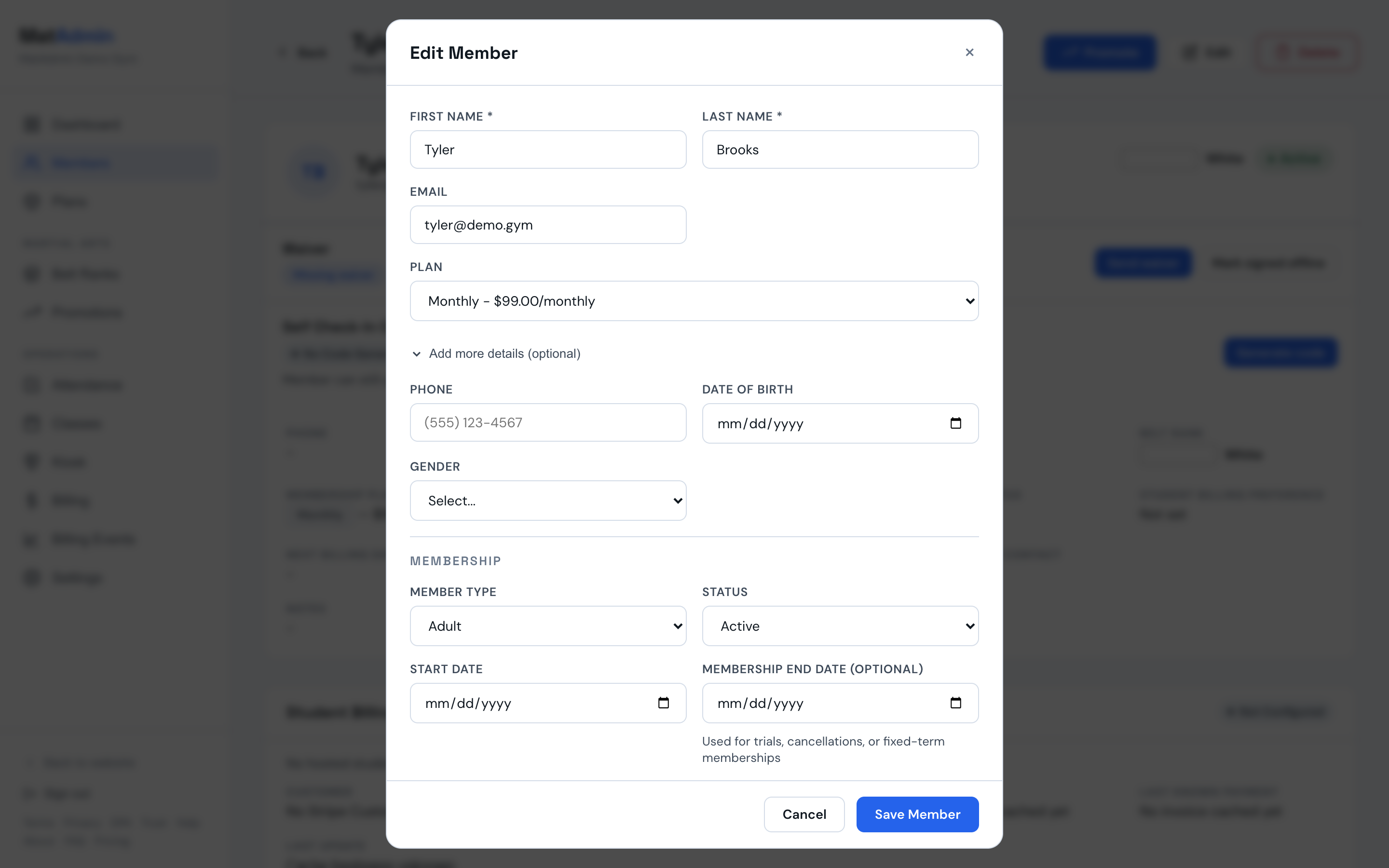
- If the member does not have a stored Stripe subscription, update the membership status or plan details in Edit Member, then save.
- If the member has a stored Stripe subscription, close Edit Member and choose Change plan from the member's Actions menu. Only an owner can use this action.
- Choose any other active plan and read the billing consequence shown beside the confirmation.
- Choose the descriptive confirmation button to apply the change.
- Check the student record again to confirm the new plan is visible.
What Should Happen Next
The student's membership information should be easier for you or your team to understand during normal academy work.
Any plan change that keeps Stripe billing must use the same billing interval and interval count as the current Stripe subscription. For example, every month and every three months differ. Stripe checks the live subscription when you confirm and refuses a different schedule without changing the plan. For a paid online plan changing to another paid online plan, the plan changes immediately without proration or a charge that day. If the subscription renews, its renewal date stays the same and Stripe charges the new price at that renewal.
Changing from a $0 subscription to a paid online plan charges the saved card immediately and resets the billing date to that day. Any free trial ends immediately.
An existing scheduled cancellation stays in place. The subscription will not renew unless that cancellation is removed in Manage billing.
Changing to a manual, external-payment, or $0 plan cancels the existing Stripe subscription immediately. MatAdmin does not issue a refund for time remaining in the current billing period.
If Stripe does not have a usable default card for the paid target plan, open Manage billing, add a default card in Stripe, and try Change plan again.
If MatAdmin says, Stripe changed, MatAdmin did not save. Try again., leave the target selected and retry. If the Stripe subscription is canceled but the member record still shows an online plan, choose the intended manual or free plan again to complete the MatAdmin save.
Common Mistakes
- Updating membership details from memory when student payment impact is unclear.
- Trying to change a subscription-backed plan through the normal Edit Member plan field.
- Moving between monthly and yearly online plans in one step. Online plan changes that keep Stripe billing require the same billing interval.
- Assuming that moving to a manual, external-payment, or $0 plan will refund unused time.
- Mixing training notes with student payment or membership notes.
- Assuming a student record is wrong before checking recent changes.